Install AgilityResults on your mobile device
AgilityResults has been designed as a 'Web App'. This means that you can install it on your
iPhone/iPad or Android device and it behaves much like a conventional app.
Unlike regular apps, you can't install web apps directly from an app store. Instead
just follow the instructions below:
| iPhone/iPad | |
|---|---|
| 1. | Open www.AgilityResults.nl in you Safari web browser. Even if you use another browser, only Apple's own browser has the capability to install a web app. |
| 2. | Press the menu button: |
| 3. | Press the Add to Home Screen button: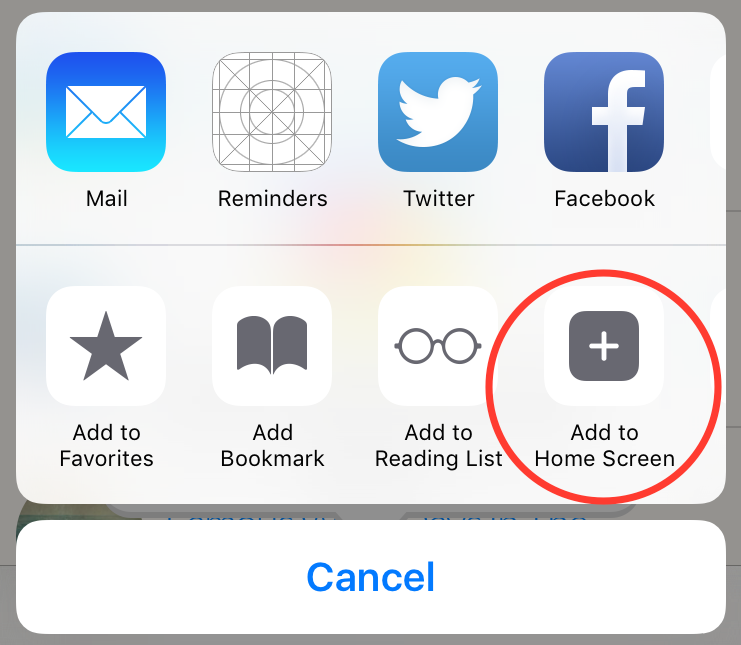 |
| 4. | On the 'Add to Home' popup window press the 'Add' button and an AgilityResults icon will be added to your device. Just press this whenever you want to open the app. |
| Android | |
|---|---|
| 1. | Install the chrome browser if not already on you device. |
| 2. | Open www.AgilityResults.nl in chrome. |
| 3. |
Press the chrome menu button (three vertical dots) and select 'Add to Home Screen' and then
'Add' on the popup window an AgilityResults icon will be added to your device. Just press this whenever you want to open the app. |